
Official developer download pageSafe • always the latest official version
Screenshots


About GitHub Desktop
GitHub Desktop is a powerful tool designed to simplify the use of Git repositories and GitHub's platform for users who prefer a graphical interface over command-line interactions.
Developed by GitHub, this desktop application aims to streamline the version control process, making it accessible for developers, designers, and other tech professionals.
The software provides a range of features that cater to both new and experienced Git users, enhancing collaboration and productivity in software development projects.
GitHub Desktop is a seamless way to contribute to projects on GitHub and GitHub Enterprise. It allows developers to synchronize branches, clone repositories, and more.
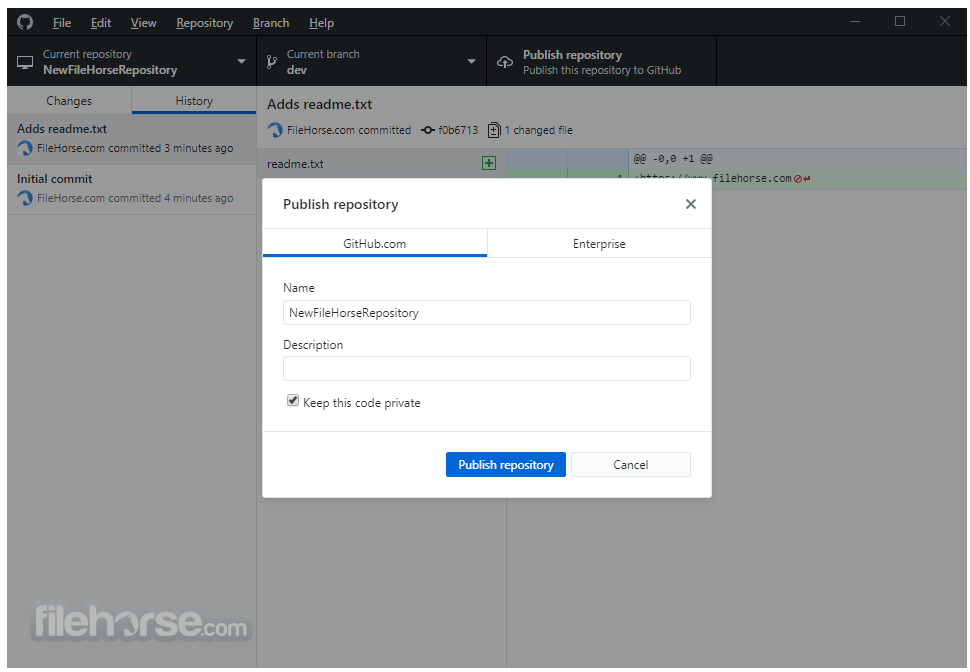
Pull requests, merge button, fork queue, issues, pages, wiki: all awesome features that make sharing easier. But those things are only great after you've pushed your code to the app.
Key Features
Simplified Version Control
It allows users to clone repositories, create branches, and commit changes with ease. The intuitive interface guides users through the process, reducing the learning curve associated with Git.
Seamless Integration with GitHub
The software offers seamless integration with GitHub, enabling users to manage their repositories directly from their desktops. This includes functionalities like pull requests, issue tracking, and viewing repository insights.
User-Friendly Interface
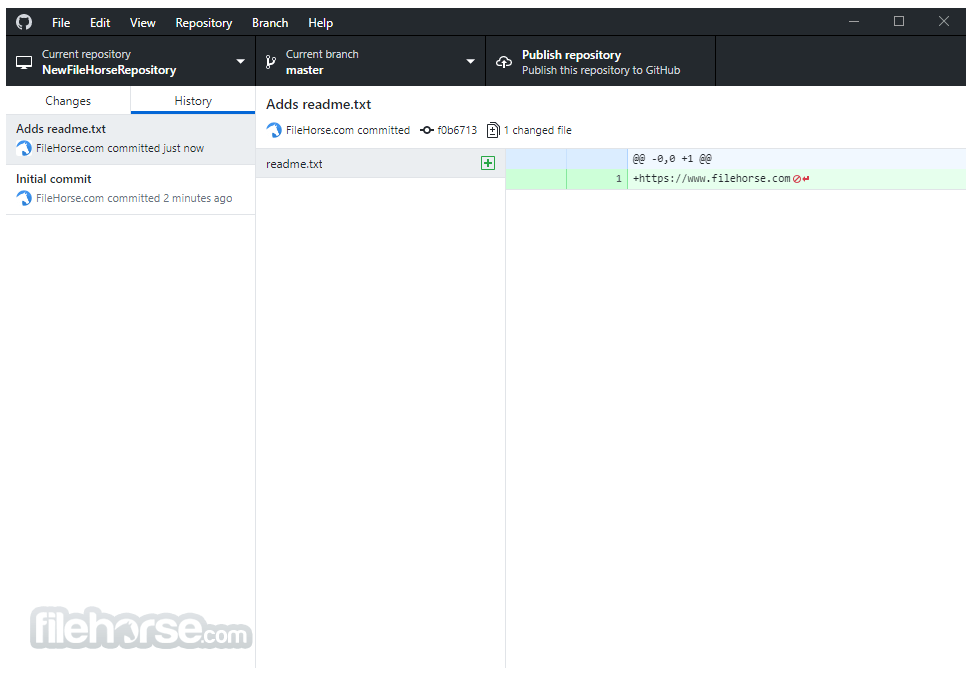
The graphical user interface (GUI) is designed for simplicity and efficiency. It features clear navigation, making it easy to access different sections such as repositories, branches, and commit history.
Real-Time Collaboration
Users can collaborate on projects in real-time by sharing their changes and updates instantly. The application supports co-authoring commits, which is beneficial for team projects.
Comprehensive Repository Management
The software allows for easy management of repositories, including forking, branching, and merging. Users can also review code, resolve conflicts, and manage pull requests directly from the application.
User Interface
The interface of this program is clean and well-organized, focusing on usability. The main dashboard displays a list of repositories, each with its status and recent activity.
The left sidebar provides quick access to essential functions like current repository, branches, and commits. The central pane displays detailed information about the selected repository, including commit history and file changes.
Installation and Setup
Installation
Download: Visit the official website and download the installer compatible with your operating system (Windows or macOS). Run the Installer: Execute the downloaded file and follow the on-screen instructions to complete the installation. Sign In: Launch the application and sign in with your GitHub credentials to access your repositories. Setup
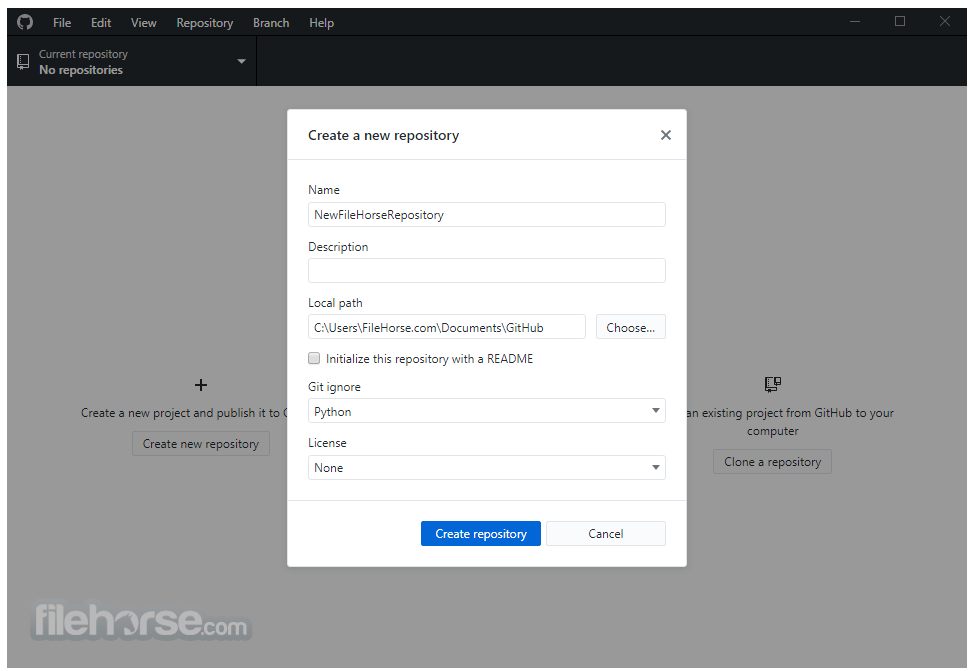
Clone a Repository: Use the 'Clone a repository' option to pull a project from GitHub to your local machine. Create a New Repository: Set up a new repository by providing a name, description, and choosing the location on your local machine. Configure Settings: Adjust settings like the default editor and shell to match your workflow preferences. How to Use
Cloning a Repository:
Open the application and select 'Clone a repository.' Enter the repository URL or select one from your GitHub account. Choose the local directory where the repository will be stored and click 'Clone.' Creating a Branch:
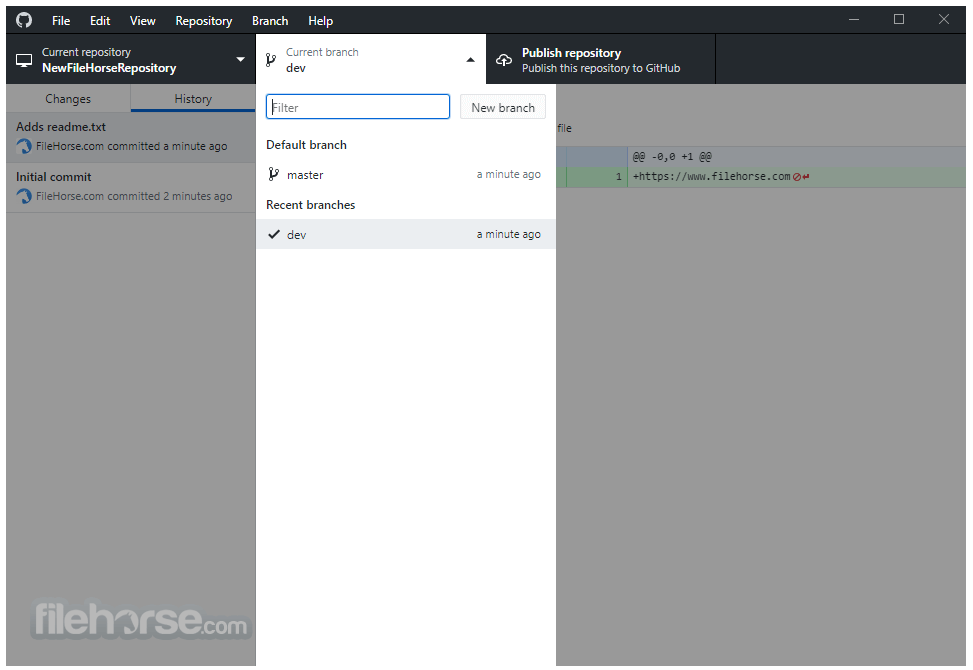
Navigate to the repository in the application. Click on the 'Current Branch' dropdown and select 'New Branch.' Enter a name for the branch and create it. Committing Changes:
Make changes to the files in your repository. Return to the application, stage the changes by selecting them, and click 'Commit to [branch name].' Provide a commit message and click 'Commit.' Creating a Pull Request:
Go to the 'Current Branch' dropdown and select 'Create Pull Request.' Provide a title and description for the pull request and submit it. Merging Branches:
Ensure your branch is up to date with the main branch. Click on the 'Current Branch' dropdown and select 'Merge into Current Branch.' Choose the branch to merge from and confirm the merge. FAQ
Can I use GitHub Desktop without a GitHub account?
No, you need a GitHub account to use the full features of the application, including managing repositories and collaborating with others.
Does GitHub Desktop support GitLab or Bitbucket?
GitHub Desktop is specifically designed for use with GitHub. For GitLab or Bitbucket, you would need to use their respective tools or general Git clients.
How do I resolve merge conflicts?
When a merge conflict occurs, the application will highlight the conflicting files. You can open these files in your preferred editor to resolve the conflicts manually, then commit the resolved changes.
Can I contribute to open-source projects using GitHub Desktop?
Yes, you can clone, fork, and create pull requests for open-source projects directly from the application, making it easier to contribute.
Is there a way to undo a commit or revert changes?
Yes, you can undo the last commit by selecting 'Undo Commit' from the 'History' view. To revert changes, you can use the 'Discard changes' option.
Alternatives
SourceTree - A free Git client for Windows and macOS, developed by Atlassian. It offers a similar graphical interface and supports both GitHub and Bitbucket.
GitKraken - A popular Git client known for its modern interface and robust feature set. It supports GitHub, GitLab, and Bitbucket, and offers features like in-app code editing.
Fork - A fast and friendly Git client for Mac and Windows. It offers a range of features including repository management, conflict resolution, and visual commit history.
Pricing
Free
Unlimited public/private repositories Automatic security and version updates 2,000 CI/CD minutes/month Free for public repositories 500MB of Packages storage Free for public repositories Issues & Projects Community support GitHub Copilot Access GitHub Codespaces Access Team - 4 USD per user/month
Everything included in Free, plus:
Access to GitHub Codespaces Protected branches Multiple reviewers in pull requests Draft pull requests Code owners Required reviewers Pages and Wikis Environment deployment branches and secrets 3,000 CI/CD minutes/month Free for public repositories 2GB of Packages storage Free for public repositories Web-based support System Requirements
OS: Windows 11, 10, 8 or 7 (64-bit) RAM: 2 GB or more Disk Space: 100 MB of free disk space Internet Connection: Required for initial setup and repository cloning PROS
User-friendly interface Seamless GitHub integration Comprehensive repository management Free to use CONS
Limited to GitHub repositories Fewer advanced Git features compared to some competitors Conclusion
GitHub Desktop is a versatile and user-friendly Git client that caters to both novice and experienced developers. Its seamless integration with GitHub, combined with a clean and intuitive interface, makes it a powerful tool for managing repositories, collaborating on projects, and streamlining the version control process.
While it is limited to GitHub repositories, its comprehensive feature set and ease of use make it an excellent choice for anyone working within the GitHub ecosystem. Whether you are working on a solo project or collaborating with a team, this software provides the tools you need to manage your code efficiently and effectively.
Note: Requires Microsoft .NET Framework 4.0 in order to be installed and GitHub account.
Also Available: Download GitHub Desktop for Mac
What's New in v3.6.7
GitHub Desktop 3.6.7
Added:
- Keep the current worktree toolbar segment visible with the "Always show worktree list" Appearance setting
Fixed:
- Fix a crash that could occur when Git LFS progress tracking encountered a file read error
- Fix "Open in Cygwin" integration for repository folders whose names contain spaces or punctuation
- Correctly handle branch, remote, and tag names that start with a dash across fetch, push, checkout, merge, rebase, and worktree operations
Improved:
- Update Copilot SDK to v1.0.13
- contrast of the success and failure icons in the checks summary
- Validate macOS application bundle paths in the clone dialog
GitHub Desktop 3.6.6
Improved:
- Ask for confirmation before revealing certain folders in Finder
- how .gitignore files are handled
GitHub Desktop 3.6.5
Fixed:
- Detect RStudio installations made by the new Windows installer that registers uninstall entries per-user or in the 64-bit machine-wide location
- Keep the image diff "Difference" mode from showing false green artifacts caused by sub-pixel misalignment
- Re-enable repository menu items after cancelling a rebase from the local changes overwritten dialog
- Preserve existing branch protection information when GitHub API requests fail
- Hooks taking input via stdin no longer error on Windows
Improved:
- Prevent upgrading from macOS 12 and older ahead of an upcoming Electron update that drops support for it
GitHub Desktop 3.6.4
Improved:
- Update Git for Windows to v2.53.0.windows.4
- Update Git Credential Manager to 2.9.0
GitHub Desktop 3.6.3
Fixed:
- Resolve error that prevented Copilot-based features from working correctly on Windows
- Keep commit message @-mention autocomplete from surfacing users without a profile name when typing queries like "@null"
GitHub Desktop 3.6.2
Fixed:
- Invoking Desktop from the command line inside a worktree now opens the existing repository with the worktree selected instead of prompting to add a new repository
- Scrolling no longer gets stuck when the pointer is over a tall group in the repository list
GitHub Desktop 3.6.1
Fixed:
- Copilot Max plan users are recognized correctly
- The default Copilot model is Auto
- Improved loading times for Copilot features
- Copilot model picker no longer extends beyond window dimensions in small window sizes
GitHub Desktop 3.6.0
New:
- Git worktree support for managing multiple working directories of the same repository
- Resolve merge conflicts with Copilot
- Added: Allow users to stop an ongoing request to generate a commit message with Copilot
Fixed:
- Recover conflict dialog from permanently frozen state when conflict state becomes invalid, preventing users from needing to restart the app
- Fix Warp terminal detection on Windows to support the new Warp registry path with fallback to the legacy path
- Items in lists such as branches and changed files are properly announced by screen readers on Windows
- No longer prompts to initialize Git LFS for repositories that us
Technical Information
| License | Free |
| Operating System | Windows 7 64 / Windows 8 64 / Windows 10 64 / Windows 11 |
| Size | 0 B |
| Version | 3.6.7 |
| Developer | GitHub, Inc. |
| Category | Download Managers |
| Language | English |
| Updated | October 18, 2026 |
| Downloads | 0 |
| Security | Scanned — 100% Safe |
Old Versions
How to Install
Download the installer using the green button above.
Double-click the downloaded file. If Windows SmartScreen appears, click More info Run anyway.
Follow the setup wizard and click Install.
Launch GitHub Desktop from Start Menu or Desktop shortcut.