Download
1.9 MB • EXEFast, safe & free • Resume supported
1.9 MB • EXEFast, safe & free • Resume supported
Screenshots
About Rufus
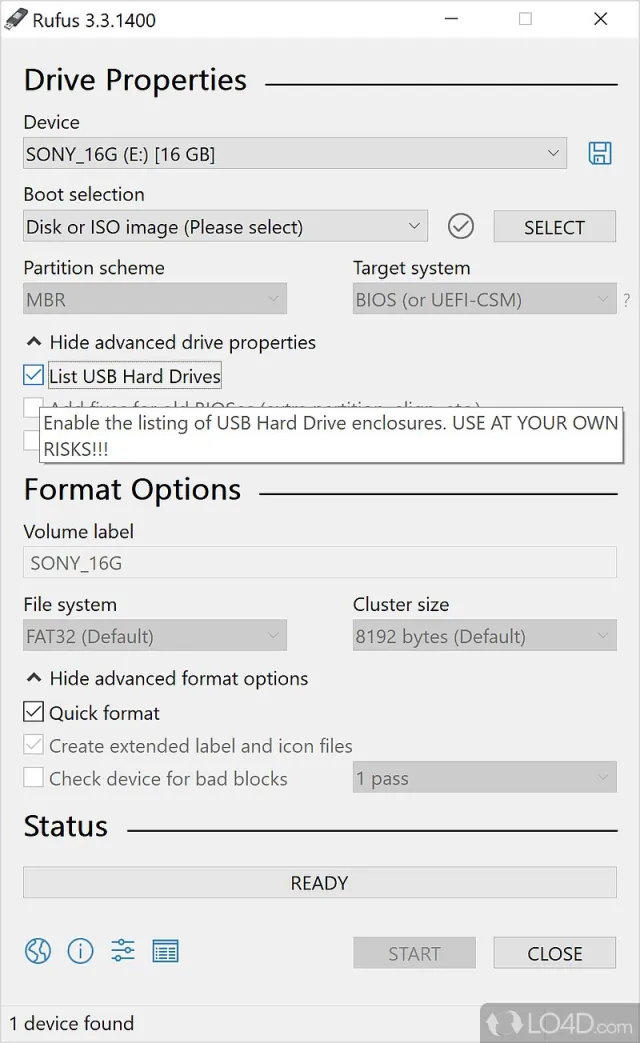
Rufus is the fastest free utility to create bootable USB drives — for installing Windows 10/11, Linux distributions, running live systems or flashing BIOS/UEFI. It is a single portable file, no installation needed.
Key Features
- Create bootable USB from Windows / Linux ISO images
- Download official Windows 11 / 10 ISOs directly inside Rufus
- Bypass Windows 11 TPM, Secure Boot and RAM requirements (optional)
- Create local account & skip online account during Windows setup
- MBR / GPT, BIOS / UEFI, NTFS / FAT32 / exFAT options
- Windows To Go (run Windows from USB)
- Bad-block check and about 2× faster than similar tools
- Portable, free and open source (GPL v3)
What's New in v4.15
- Latest stable release (4.15)
- Performance and stability improvements
- Bug fixes and security updates
Technical Information
| License | Free |
| Operating System | Windows 10 / 11 (64-bit) |
| Size | 1.9 MB |
| Version | 4.15 |
| Developer | Pete Batard (Akeo) |
| Category | System Tools |
| Language | English, Urdu + multilingual |
| Updated | September 26, 2026 |
| Downloads | 520,003 |
| Security | Scanned — 100% Safe |
Old Versions
v4.15Latest1.9 MB • Sep 26, 2026
DownloadHow to Install
Download rufus-4.15.exe (portable — no install needed)
Plug in a USB drive (8 GB+; it will be erased)
Run Rufus, select the drive and your ISO file
Click START and wait until the status bar says READY