
Clicktes Word for Android
1.7 MB • Web App • 1-click installNo EXE/APK • installs in 5 seconds • offline-ready
Screenshots
About Clicktes Word for Android
Clicktes Word is now an installable app for Android — its own icon, a full-screen window and it works offline. No APK or Play Store — click Download, the install prompt appears after 5 seconds, click "Install now" and you are done.
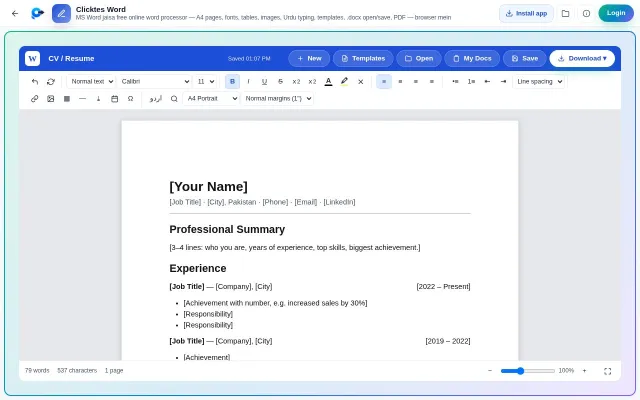
What this app does: Free online word processor like MS Word — A4 pages, fonts, tables, images, Urdu typing, templates, .docx open/save, PDF — in your browser
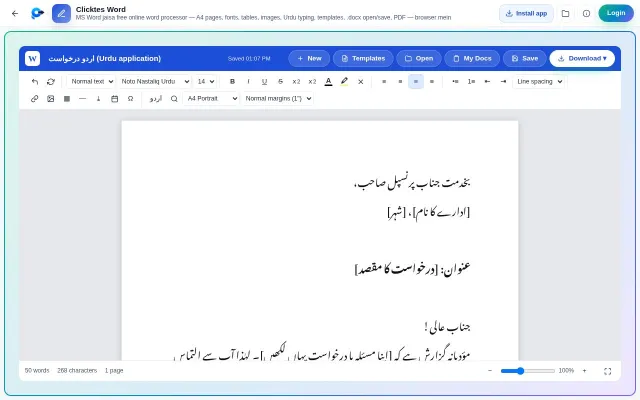
Clicktes Word is a full online word processor — just like MS Word, but free and with nothing to install. A4/Letter pages, margins, Calibri/Times/Arial + Urdu Nastaliq fonts, headings, bold/italic/colours/highlight, bullets & numbering, line spacing, tables, images, links, symbols, page breaks, find & replace, word count and zoom. Documents auto-save in the browser (My Docs) and can be downloaded as Word (.docx), PDF, HTML or text. You can also open existing .docx files and edit them.
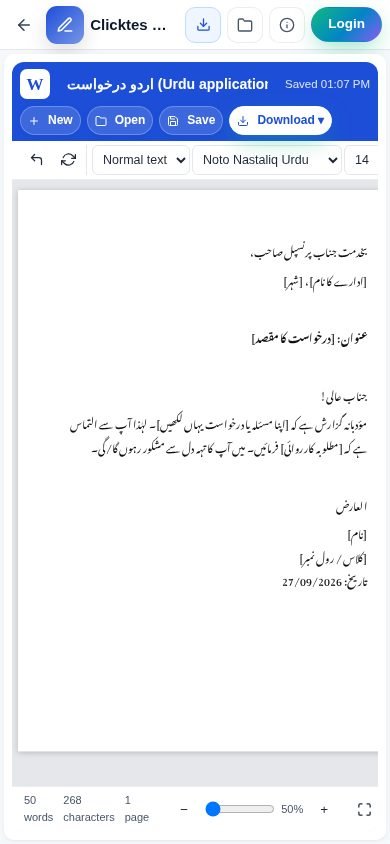
Ready templates: formal letter, job application, CV, invoice, assignment cover page and an Urdu application (RTL). Use the اردو button to write any paragraph right-to-left in Nastaliq. Everything stays on your device — files are never uploaded. Install it as an app on Windows/Android/Mac.
Safe & lightweight: this is a Progressive Web App (PWA) — the official web app from The Pak Clicktes running on your browser engine. No background permissions, zero virus risk, only ~1–2 MB of cache. Updates are automatic. After installation it works without an internet connection.
What's New in v1.0.0
- First release — Clicktes Word can now be installed as an app on Android
- 1-click install, own icon, full-screen
- Offline support
Technical Information
| License | Free |
| Operating System | Android 8.0+ — Chrome (latest) or Samsung Internet |
| Size | 1.7 MB |
| Version | 1.0.0 |
| Developer | The Pak Clicktes |
| Category | Clicktes Apps |
| Language | English, Urdu, Roman Urdu |
| Updated | October 4, 2026 |
| Downloads | 3 |
| Security | Scanned — 100% Safe |
Old Versions
How to Install
Click Download — the app opens after 5 seconds
Tap "Install now" in the install prompt
No prompt? Chrome menu (⋮) "Install app" / "Add to Home screen"
The icon appears in your app drawer and runs full-screen (no APK, no Play Store)