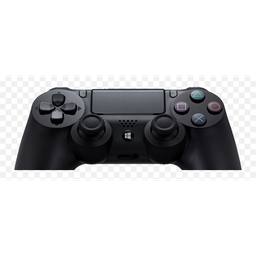
DS4Windows
by schmaldeo (community fork) Verified
Windowsv3.9.9 4.1 MB Sep 26, 2026Free Scanned — 100% Safe
Download
4.1 MB • EXEFast, safe & free • Resume supported
4.1 MB • EXEFast, safe & free • Resume supported
Screenshots

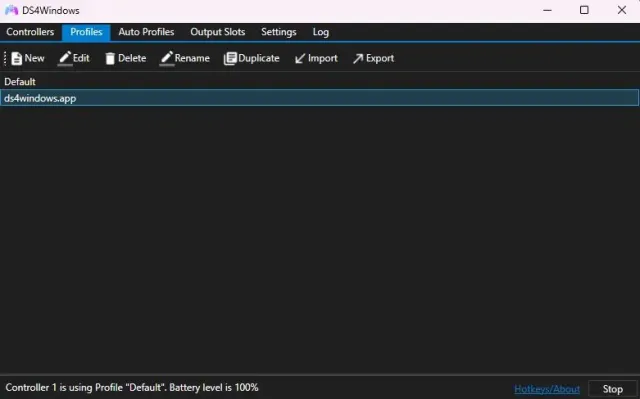
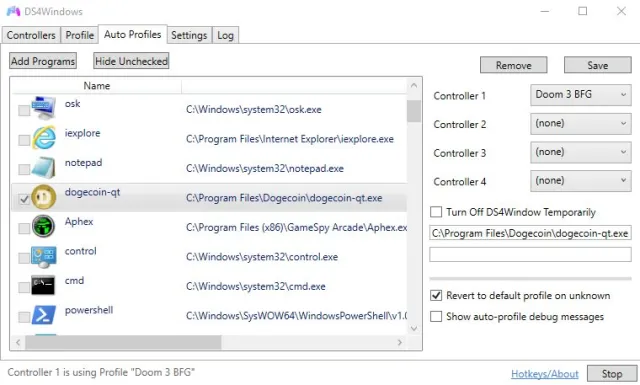
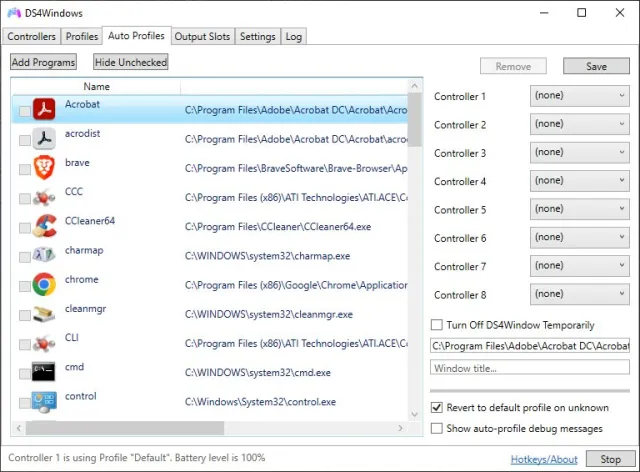
About DS4Windows
DS4Windows lets you use a PlayStation 4 DualShock 4, PS5 DualSense, Switch Pro or JoyCon controller on Windows as if it were an Xbox 360 controller — so it works in every PC game. This is the maintained community fork of the original Ryochan7 project.
Key Features
- Works over USB or Bluetooth; PS4 / PS5 / Switch Pro / JoyCons
- Emulates Xbox 360 or DualShock 4 for full game compatibility
- Remap buttons, gyro aiming, touchpad as mouse, macros
- Custom light-bar colours, rumble and battery display
- Per-game auto profiles, special actions
- Hide the real controller to avoid double input
- Free and open source (GPL v3)
What's New in v3.9.9
- Latest stable release (3.9.9)
- Performance and compatibility improvements
- Bug fixes
Technical Information
| License | Free |
| Operating System | Windows 10 / 11 (64-bit) |
| Size | 4.1 MB |
| Version | 3.9.9 |
| Developer | schmaldeo (community fork) |
| Category | Gaming Tools |
| Language | English, Urdu + multilingual |
| Updated | September 26, 2026 |
| Downloads | 380,003 |
| Security | Scanned — 100% Safe |
Old Versions
v3.9.9Latest4.1 MB • Sep 26, 2026
DownloadHow to Install
Download the ZIP and extract it to a folder
Run DS4Windows.exe (install .NET Desktop Runtime if asked)
Click Install ViGEmBus driver when prompted
Connect your PS4 / PS5 controller via USB or Bluetooth — it now appears as an Xbox controller